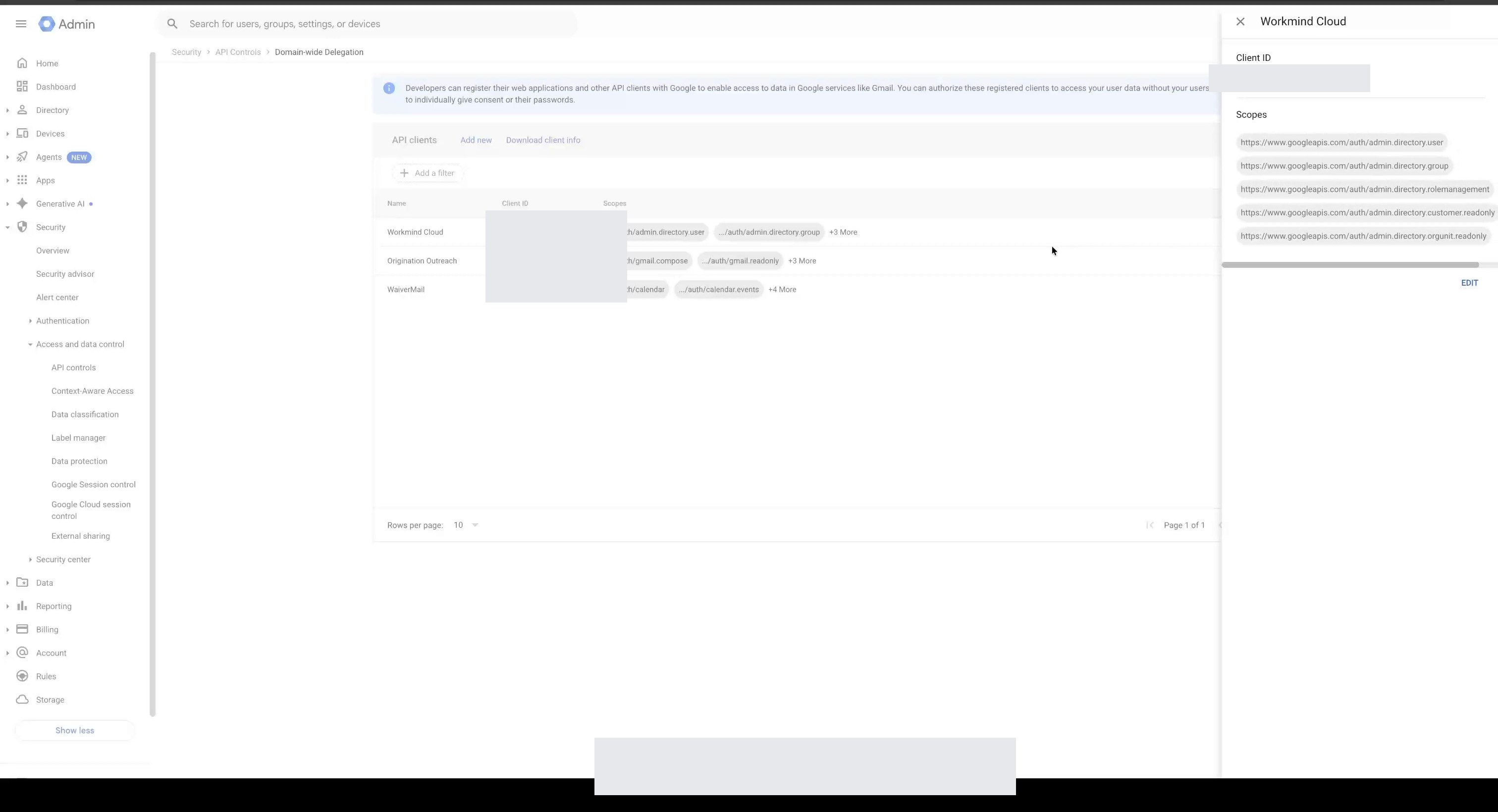

Connect Google Workspace to WorkMind
Connect your Google Workspace organization and authorize WorkMind for domain-wide delegation.
You need Google Workspace administrator access to complete these steps. For role-based provisioning after the connection is complete, see Sync BambooHR roles with UMA.
Connect Google Workspace
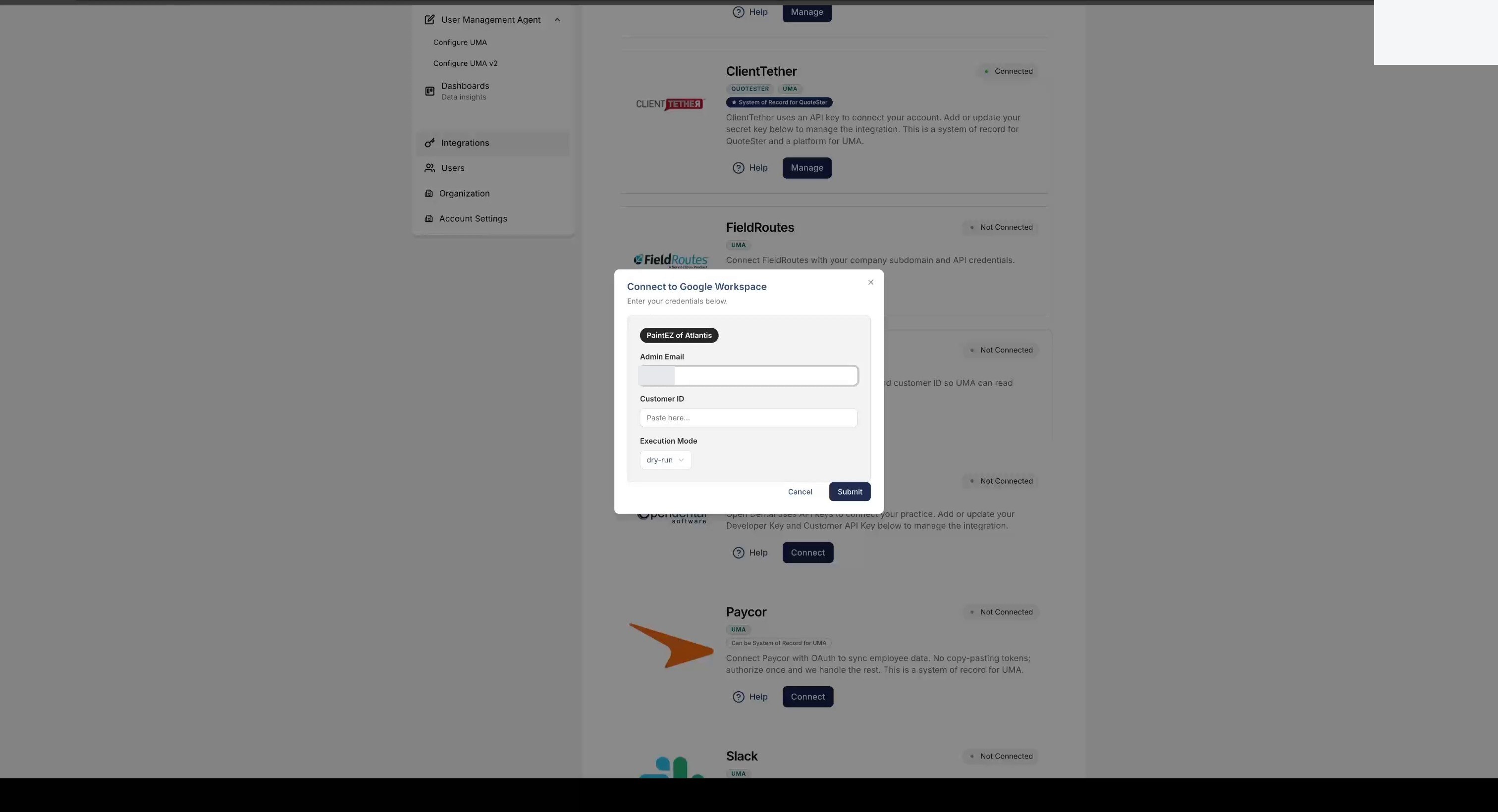
In WorkMind, open Integrations and choose Google Workspace.
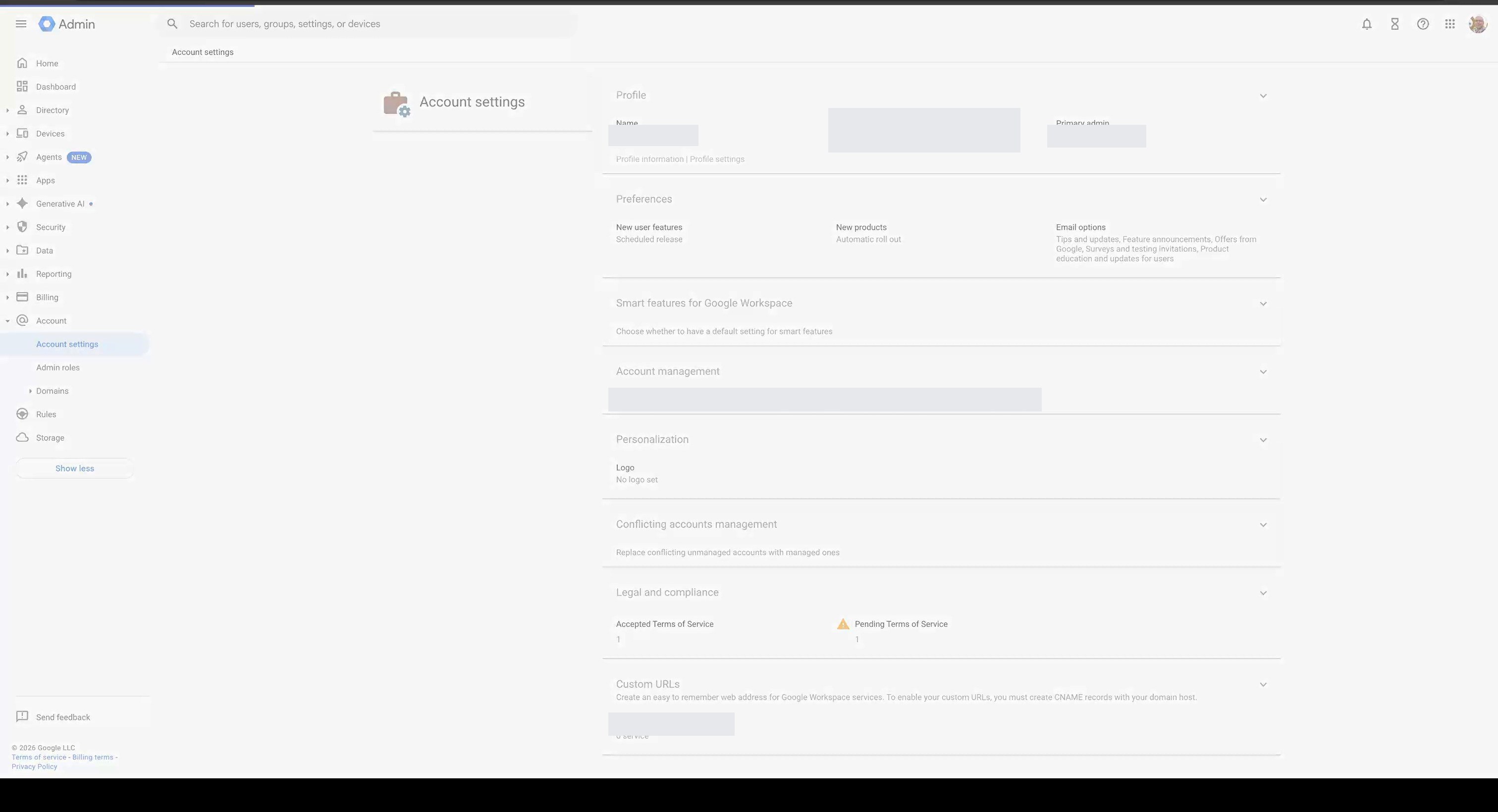
In Google Admin, find and copy your organization's Customer ID.
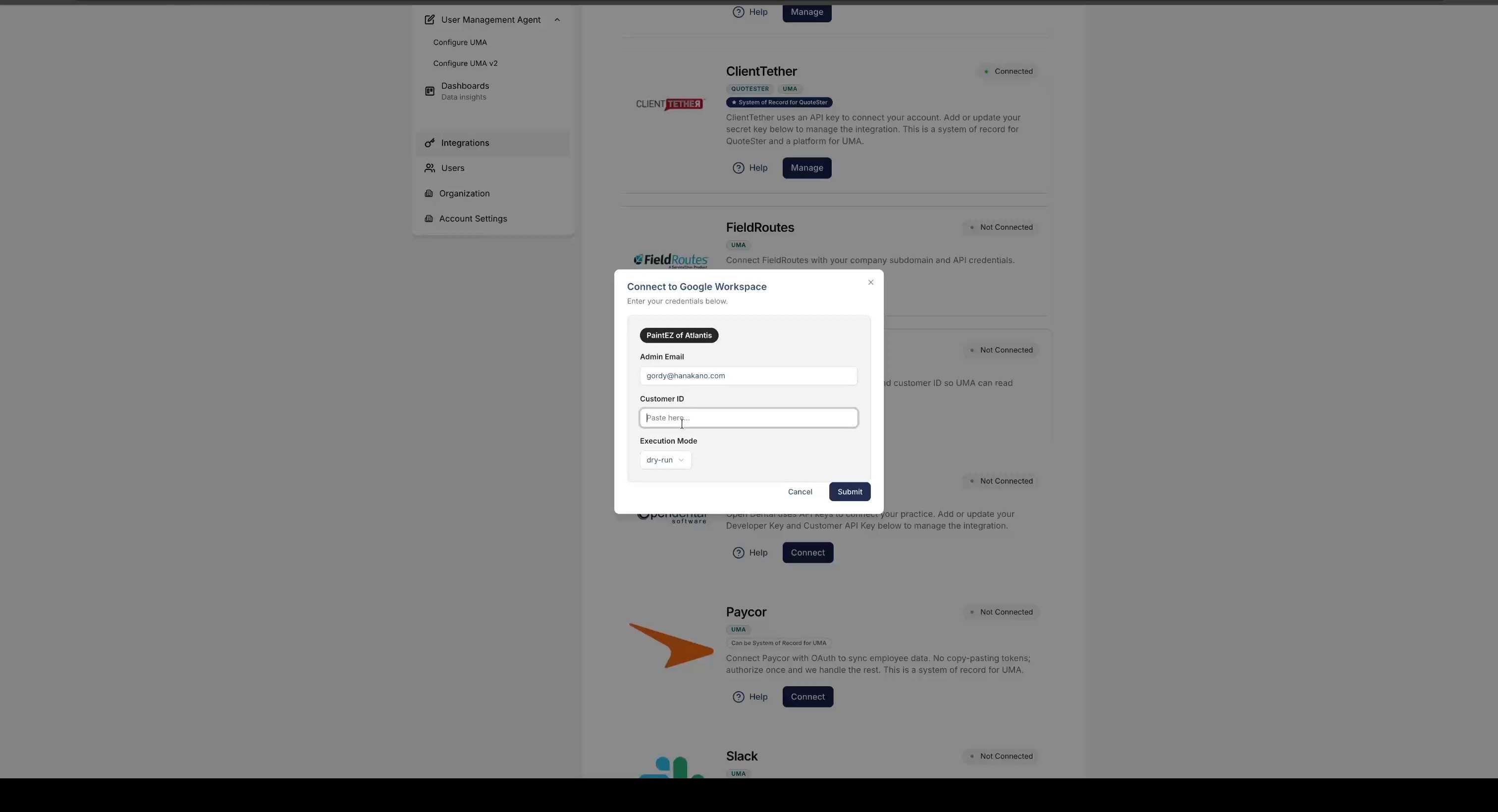
Paste the Customer ID into WorkMind and click Connect.
In Google Admin, open Security, then Access and data control, and select API controls.
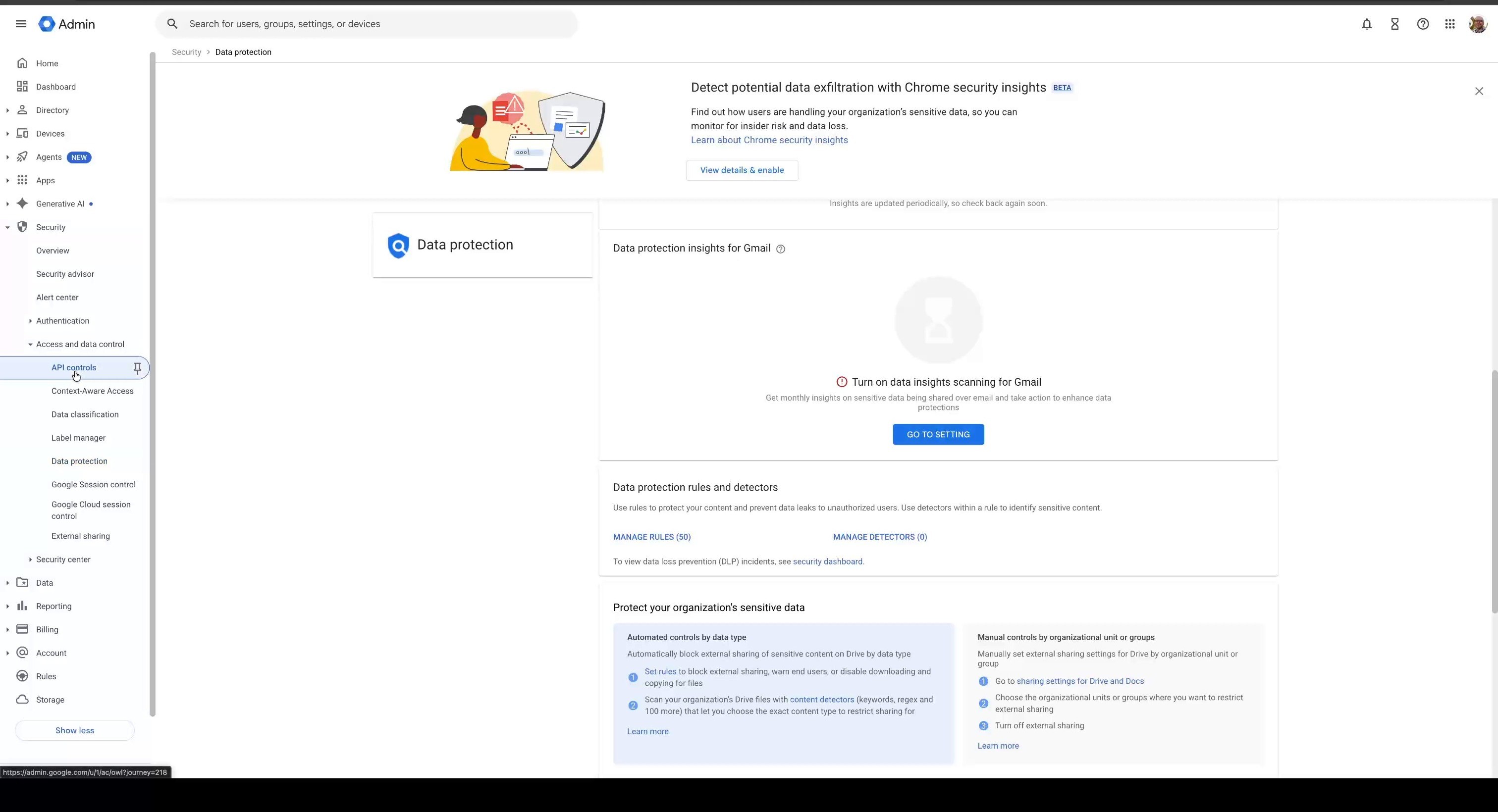
Choose Manage domain wide delegation.
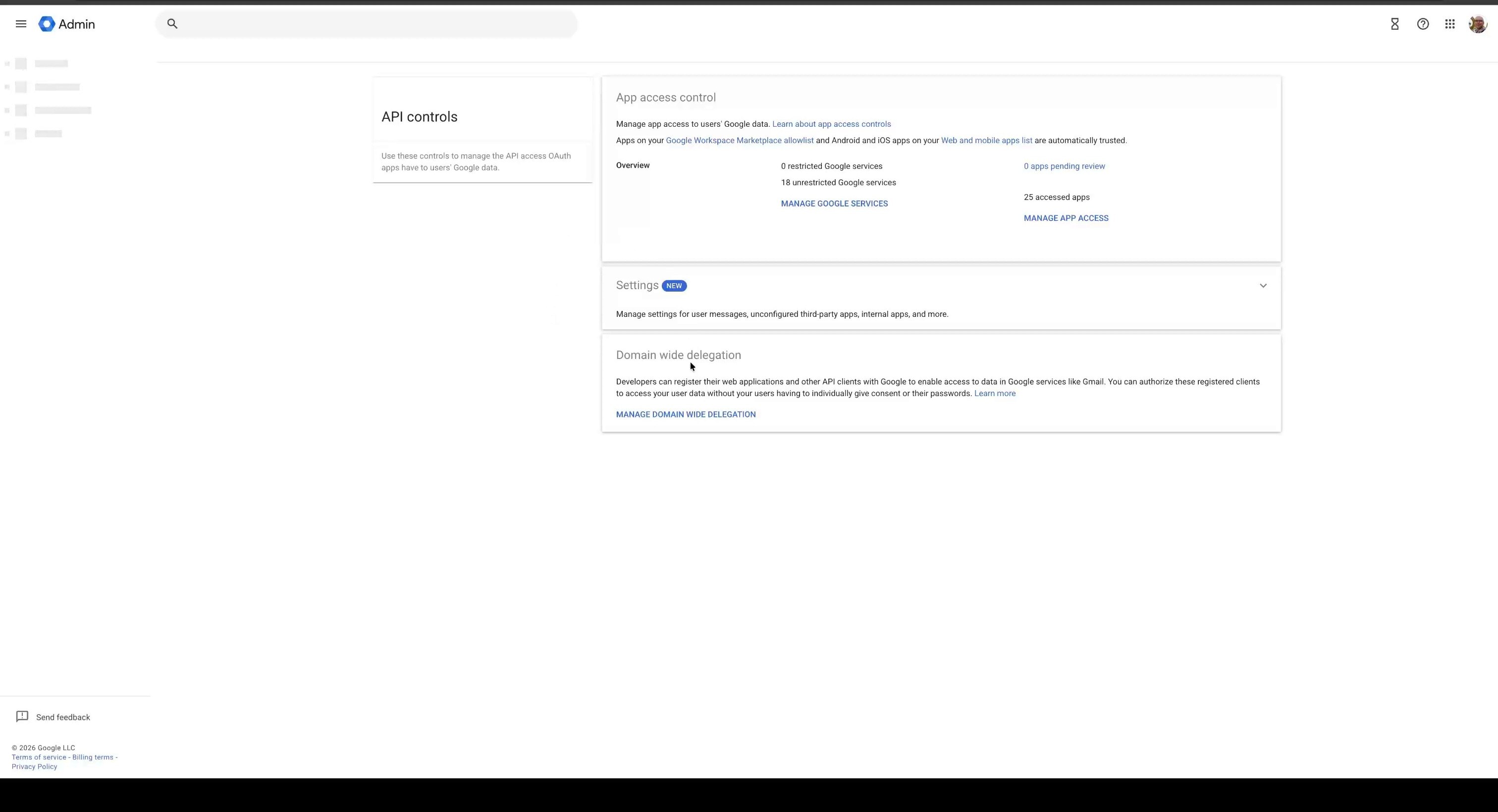
Click Add new to register WorkMind as a delegated client.
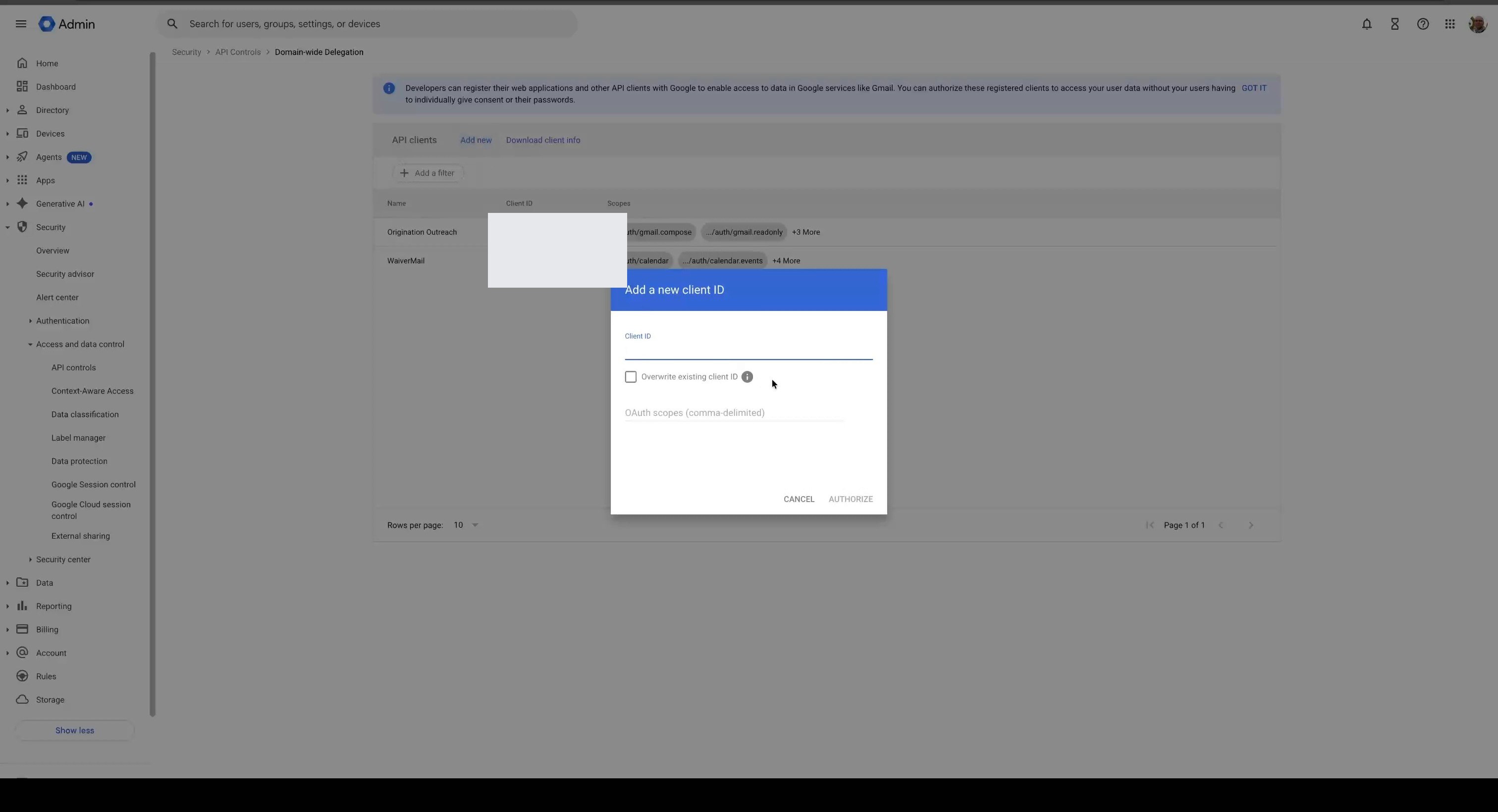
Enter the WorkMind Client ID shown in the WorkMind connection flow.
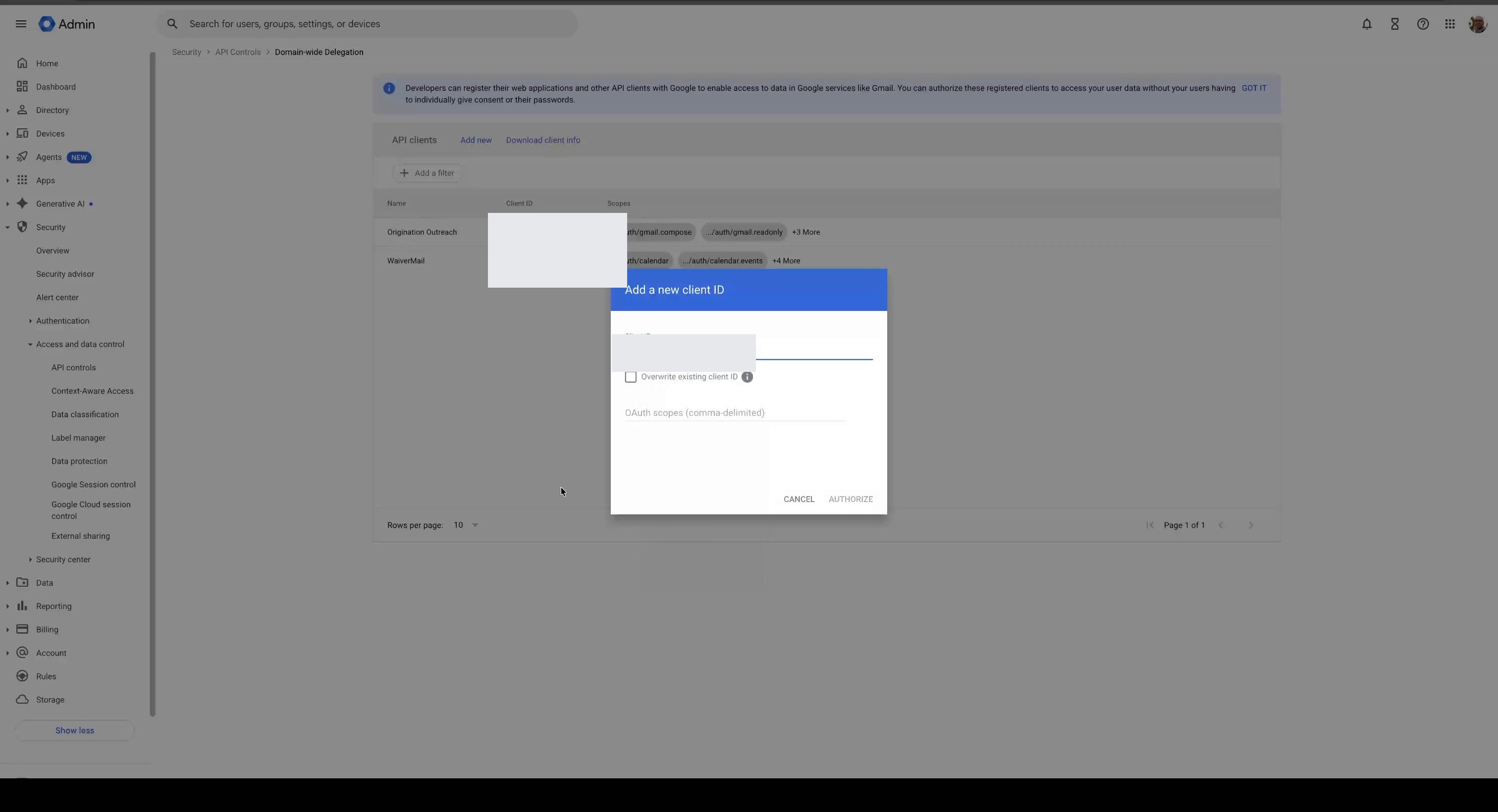
Copy the OAuth scopes from WorkMind and add them to the Google Admin form.
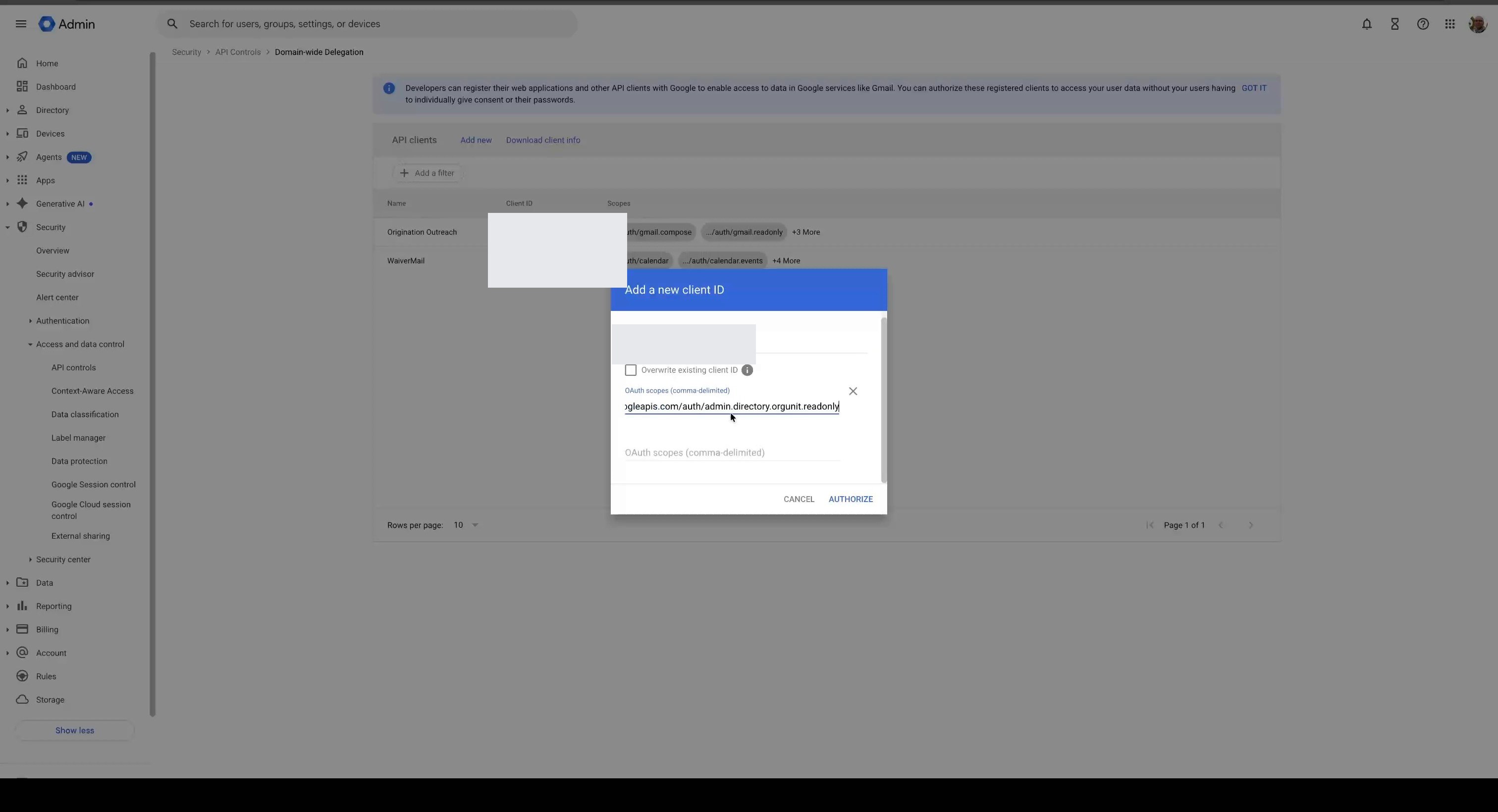
Authorize the client, then confirm WorkMind Cloud appears in the domain-wide delegation list.