
Billing
Choose agent subscriptions, select the accounts to cover, and review your order before checkout.
Start by checking the selected organization or location. Your account selection determines which billing and coverage options are available.
Check the Billing Account
Organization billing
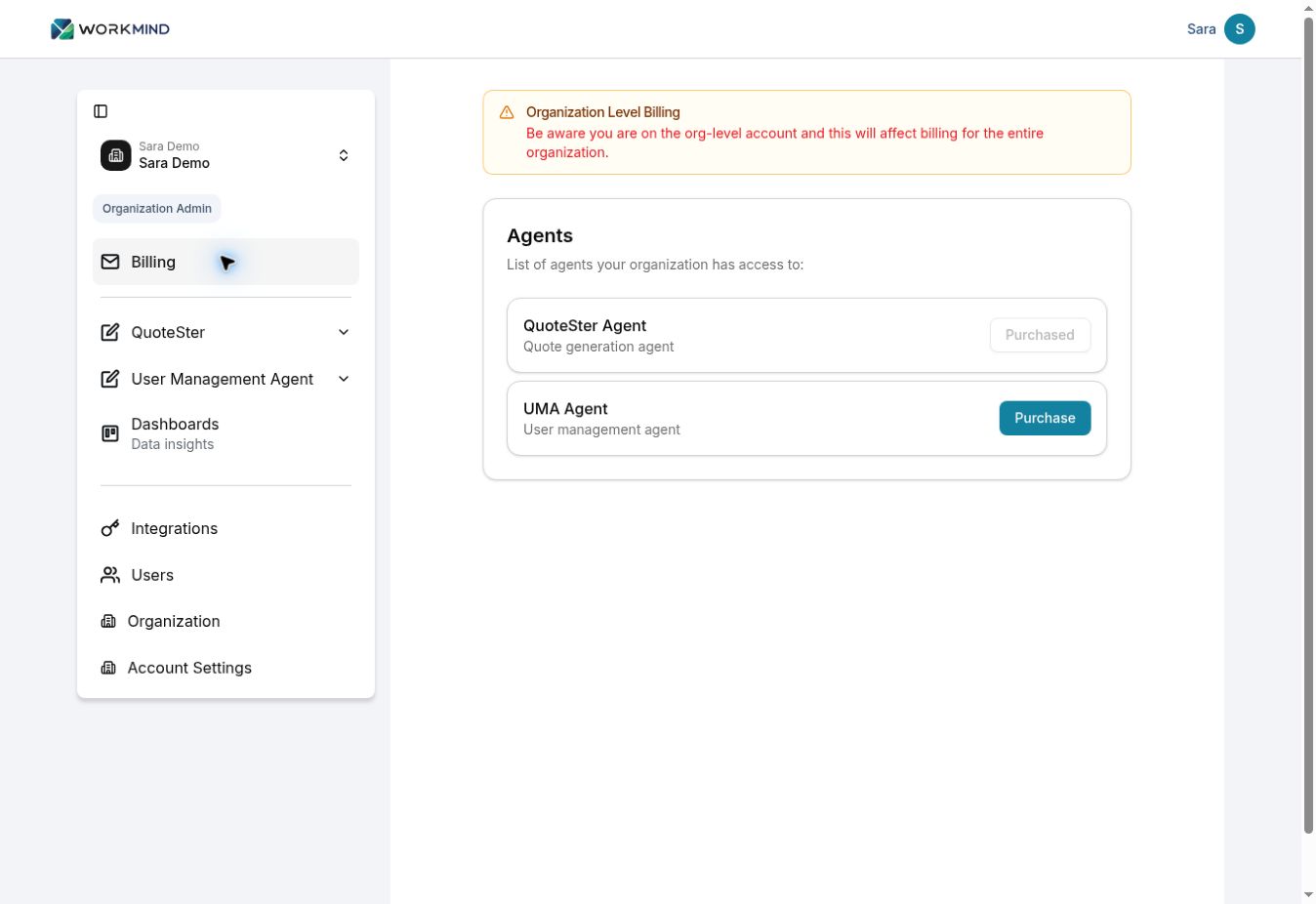
Open Billing in the WorkMind sidebar. At organization level, review the Organization Level Billing notice: purchases here can affect the entire organization.
Location billing
To manage a location’s subscriptions, choose that location in the account selector and open Billing. Check the Location Level Billing notice and confirm the location name before purchasing.
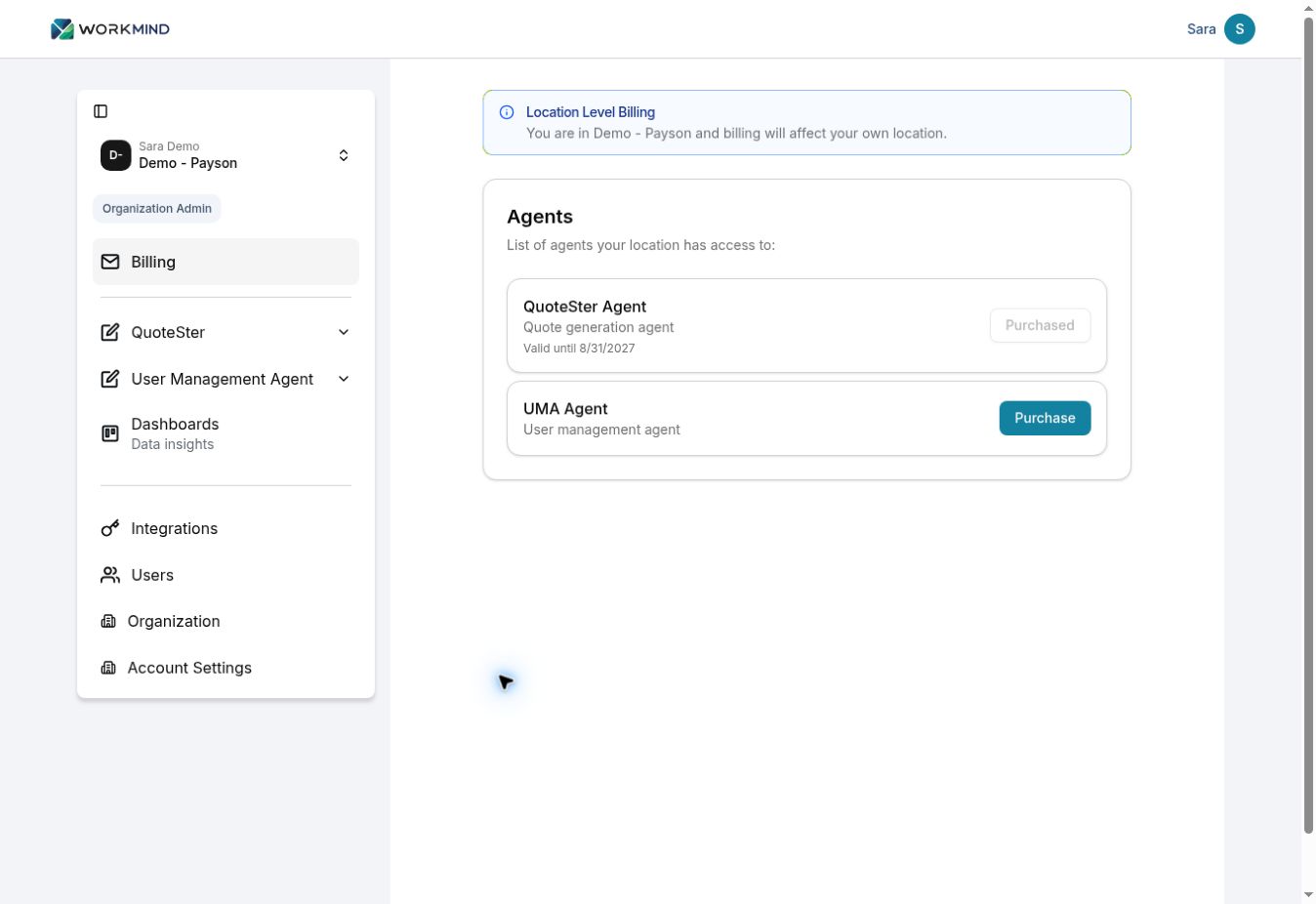
Purchased identifies an agent the selected account already has access to. A location may also show a Valid until date. To add an available agent, click Purchase.
Choose Subscriptions
On Choose Your Subscriptions, review the agent cards and displayed prices. Turn on Add to cart for each agent you want to include.
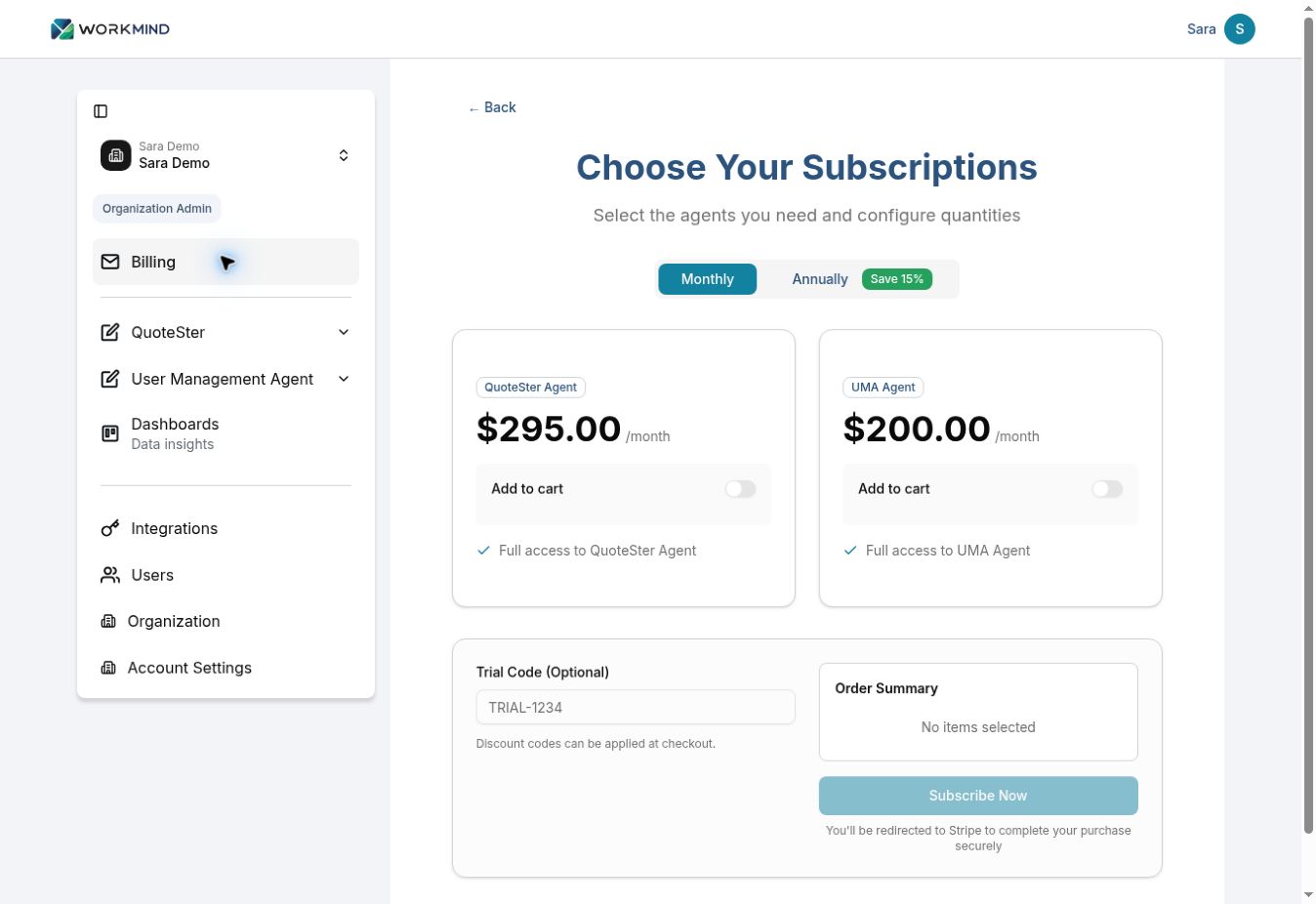
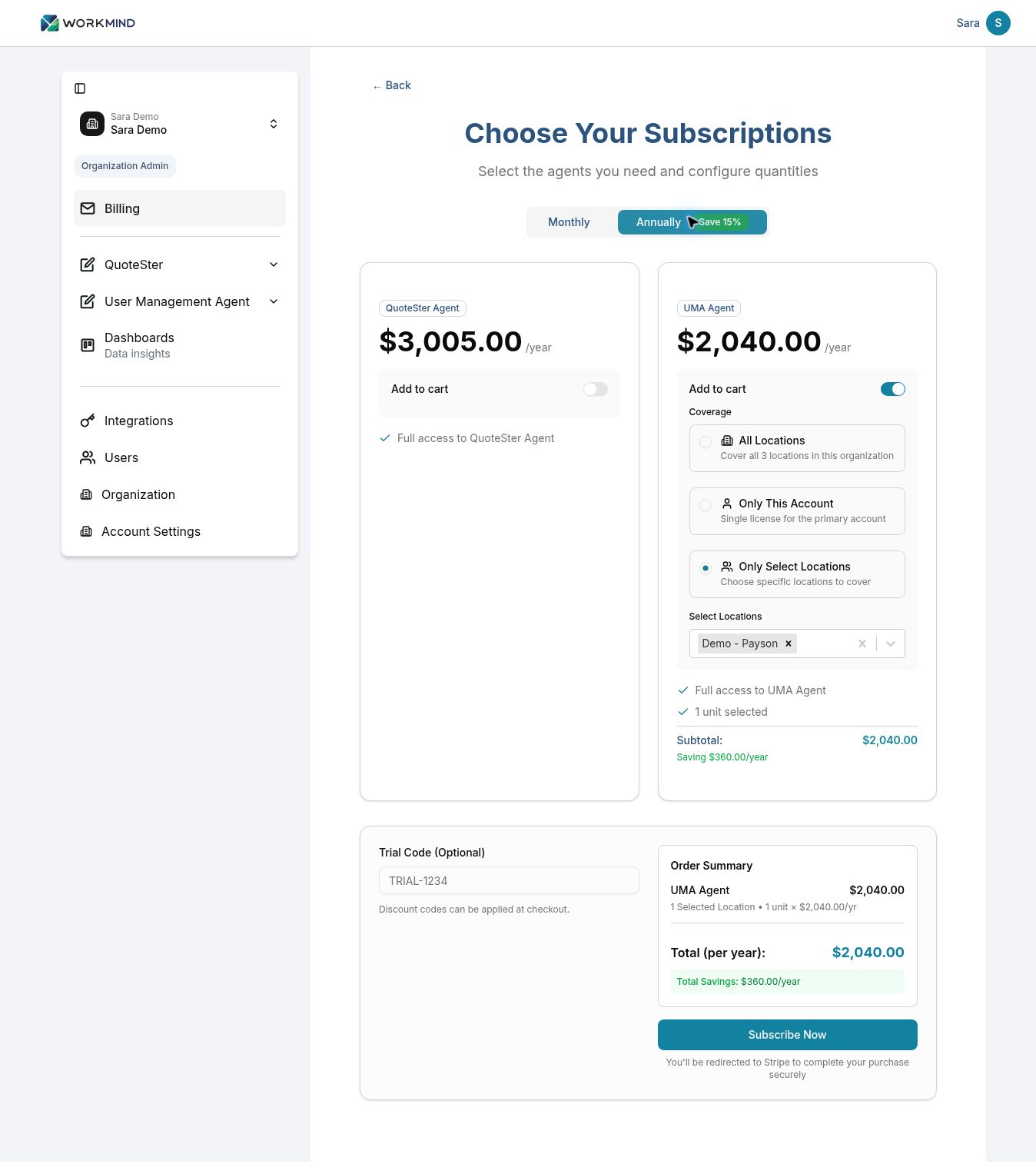
Choose Monthly or Annually. Prices and the order total update to match the selected billing period. For annual billing, review the yearly total and displayed savings before continuing.
Choose Account Coverage
Choose the coverage option that matches who will pay and which accounts need subscriptions. These are alternatives; you do not need to select every option.
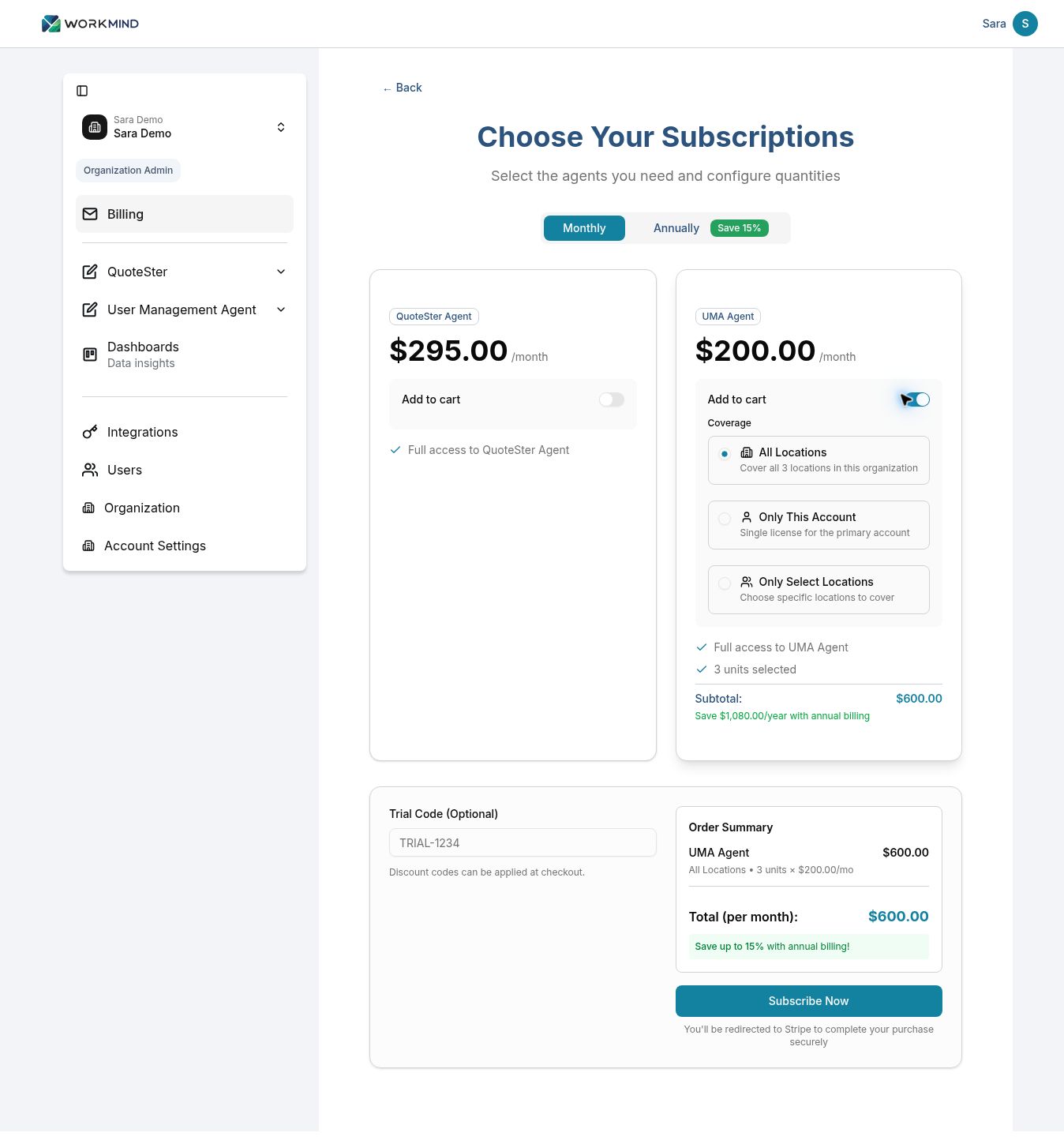
Organization: All Locations
Choose All Locations when the franchise or corporate account will pay for subscriptions across the entire organization. Check the locations covered, unit count, and subtotal. In the example, three UMA units total $600 per month.
Organization: Only This Account
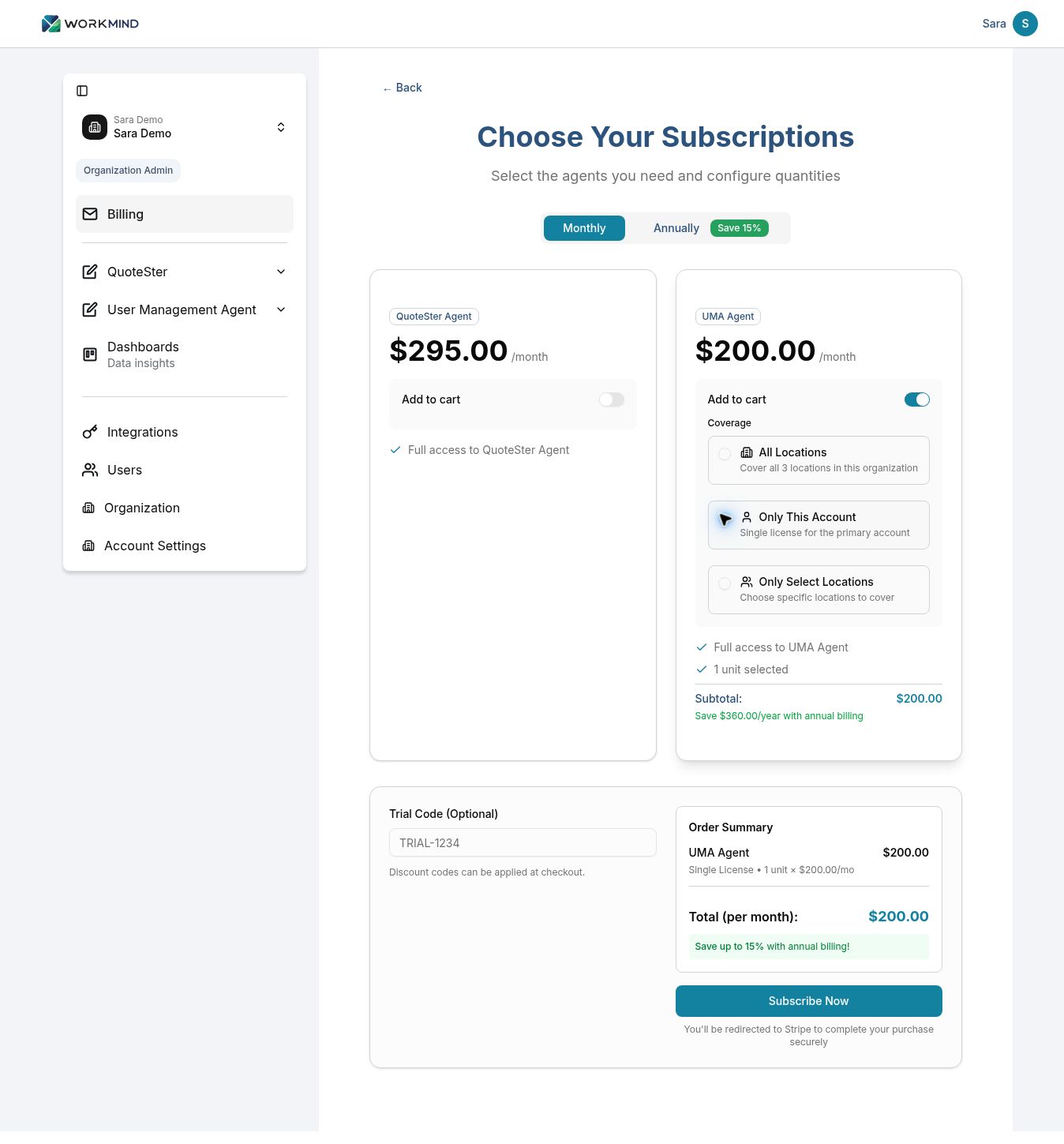
Choose Only This Account for one license for the primary account. This suits a single-location business, or an organization where corporate pays for its own account and other locations manage their own subscriptions. Confirm the summary shows one unit.
Organization: Only Select Locations
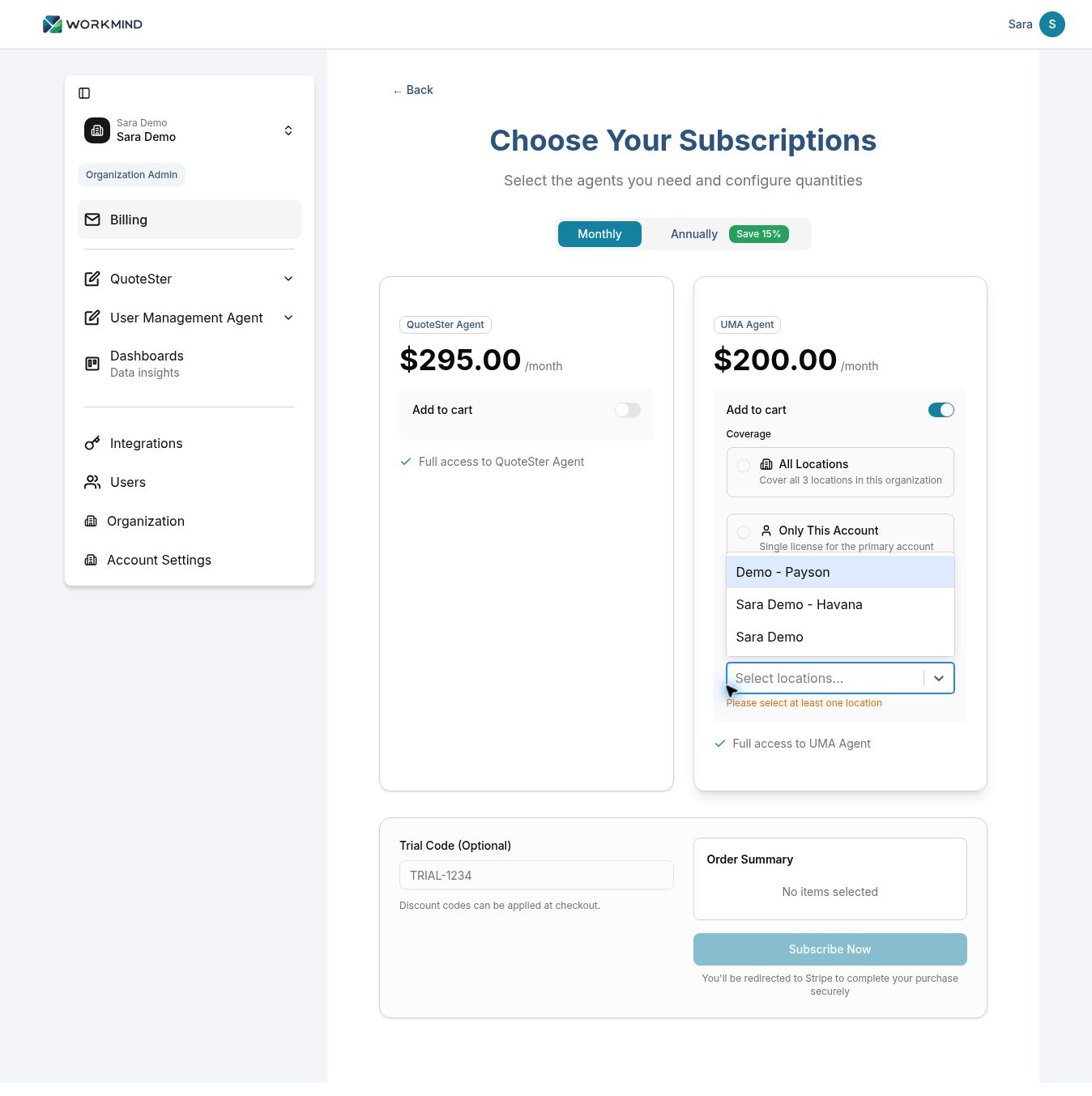
Choose Only Select Locations when corporate will pay for specific locations, such as those participating in a pilot. Open Select Locations and choose the accounts to cover. At least one location must be selected to proceed.
Location: This Account and Additional Locations
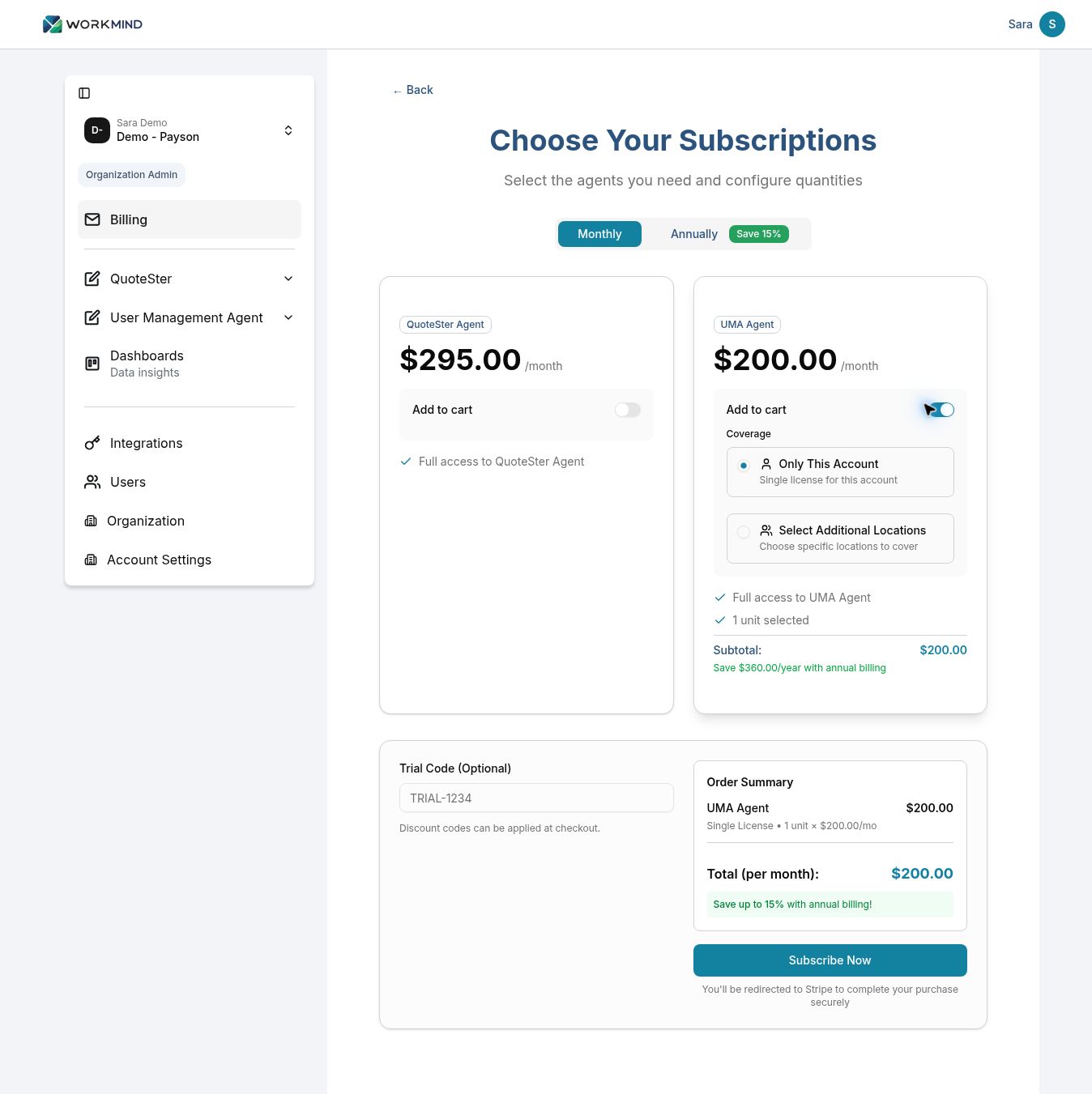
From a location or sub-account, choose Only This Account for one license for that account. Use Select Additional Locations when the same owner will also pay for other sub-accounts, such as a franchise owner with several locations or business units.
Select the accounts to cover, then check the unit count and total. The number of subscriptions depends on how those accounts are set up in WorkMind.
Review and Check Out
Review Order Summary. Confirm the agent, account coverage, number of units, unit price, and total for the selected billing period. The monthly example shows one UMA location at $200 per month; the annual example shows one UMA location at $2,040 per year.
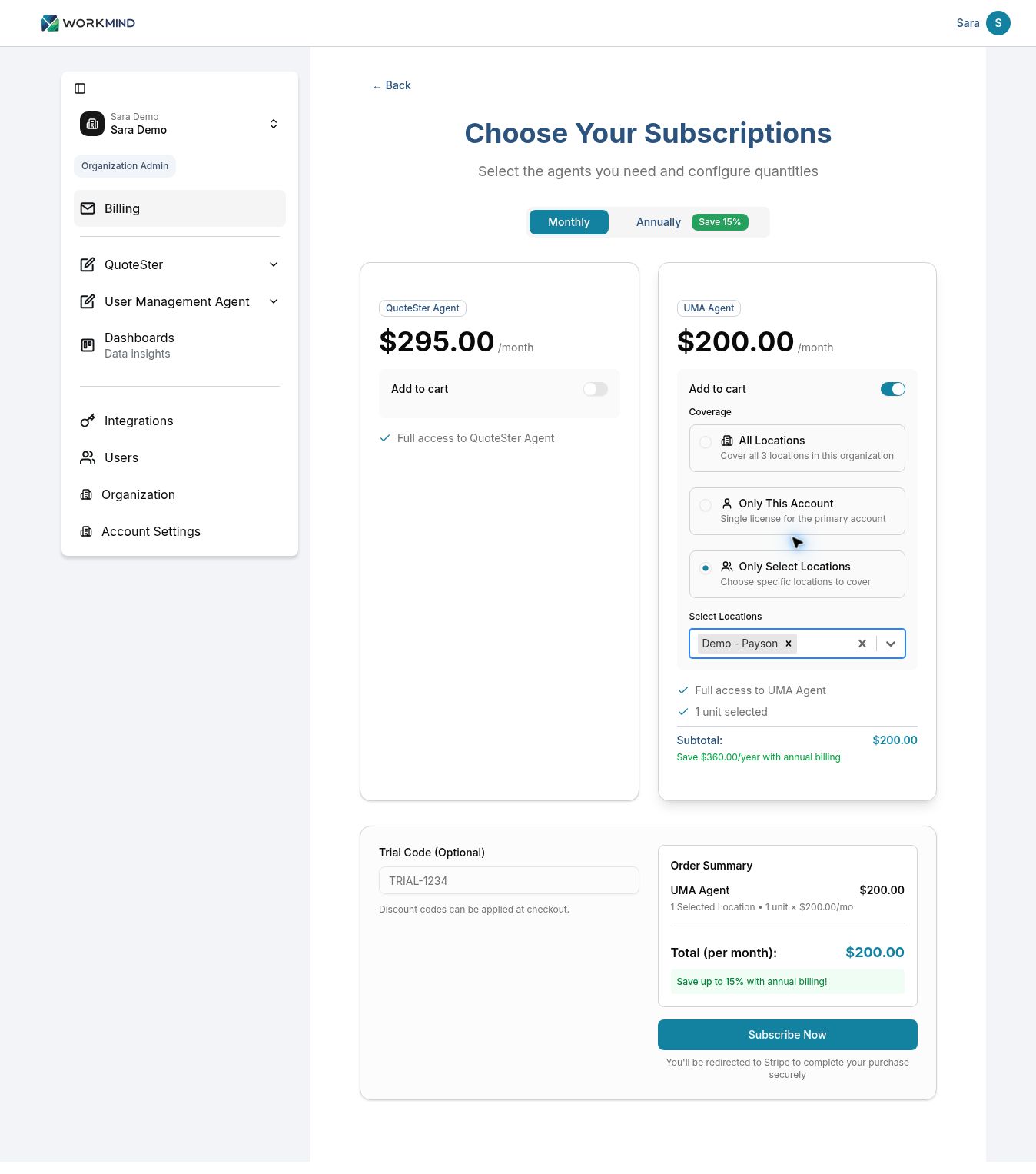
If WorkMind provided a trial code, enter it in Trial Code (Optional). Otherwise, leave the field blank.
When the order is correct, click Subscribe Now. WorkMind redirects you to Stripe to complete the purchase. Apply your discount code there if you have one, confirm the discount has been applied, and review the final total before completing payment.
Use Back if you need to leave the subscription selection screen and return to Billing. Review the agent statuses there to check what the selected account has access to.
Pricing References
Prices in the screenshots are examples. For current pricing and an explanation of the per-location pricing model, see: